
“Ever had a customer reach out twice about the same issue, once by email, then again in chat, only to realize your team handled it separately both times?”
It’s a familiar problem for support teams juggling conversations across phone, email, and chat. Customers expect clear, consistent help every time they reach out, and that’s hard to deliver when information lives in different places.
Customer Case Management (CCM) brings it all together. It keeps every case, update, and response organized so your team can work faster, stay aligned, and resolve issues before they slip through the cracks.
What Is Customer Case Management?
Customer Case Management (CCM) is simply a way for support teams to keep track of customer issues from start to finish. Each issue, or case, stays organized in one place, so anyone on the team can see what’s going on, what’s been done, and what still needs attention.
It’s different from a basic ticketing system, which usually treats each question or problem as a single, one-off task. CCM goes deeper; it connects all the related details like emails, chats, call notes, and updates into one view. That means agents can see the full story behind a customer’s problem and give faster, more personal help.
Core functions of customer case management
To understand how customer case management really works, let’s look at its main parts, the key steps that help teams manage cases effectively and deliver better service quality.
- Full case tracking: Every step of the case is recorded, from the moment it’s reported until it’s resolved.
- Multi-channel support: Cases can be received through email, phone, live chat, social media, or other channels, all managed within a single system.
- Keeps all context: All case details stay connected, so agents don’t have to ask customers to repeat themselves.
- Team collaboration: Different team members or departments can work on the same case without confusion or delays.
CCM helps teams stay organized, respond faster, and give customers a better experience. It reduces the risk of cases being lost or forgotten, even when multiple people or channels are involved.
Importance of Customer Case Management in Customer Service
As customer expectations continue to rise, understanding the importance is essential for any business that wants to deliver fast, consistent, and high-quality support.
Delivers Consistent Customer Support Across All Channels
Customers contact support through different channels, phone, email, chat, or social media, often switching mid-conversation. Without a centralized case history, they’re forced to repeat themselves, which leads to frustration and lower satisfaction.
How CCM helps:
CCM systems collect and store every customer interaction in one place, so agents can respond with full context, no matter the channel.
Helpful Tip for You:
Ensure your CCM platform supports omnichannel integration so that conversations are automatically linked under a single case ID.
Improves Response Accuracy and Reduces Handling Time
Slow or incorrect responses damage trust. Delays often occur because agents lack the information needed to solve issues quickly.
How CCM helps:
Agents have instant access to purchase history, prior cases, and internal notes, helping them resolve issues faster and with fewer errors.
Helpful Tip for You:
Use automation rules to assign cases based on topic or urgency. This improves routing and ensures the right agent gets the case first.
Boosts First-Contact Resolution (FCR) for Higher Customer Satisfaction
First-contact resolution is a key customer satisfaction metric. The more cases resolved on the first interaction, the happier your customers are.
How CCM helps:
By providing agents with a complete view of the customer and the case, CCM increases the likelihood of resolving issues without escalation or follow-up.
Helpful Tip for You:
Train agents to use the full case history effectively. Pair CCM with a knowledge base to boost one-call resolutions.

Improves Internal Accountability and Team Coordination
Dropped tickets, duplicate work, or confusion between departments can frustrate customers and waste internal resources.
How CCM helps:
CCM systems assign ownership to each case and log every action taken. This keeps teams aligned and ensures nothing is missed.
Helpful Tip for You:
Set up role-based access so different departments can collaborate on the same case while maintaining clarity on responsibilities.
Scales Customer Support Operations as Your Business Grows
Manual processes can’t handle the increase in tickets, channels, or customer complexity as your business grows.
How CCM helps:
CCM tools scale easily with your team, supporting automation, workload balancing, and streamlined workflows across growing volumes.
Helpful Tip for You:
Choose a CCM platform with automation, SLA tracking, and custom workflows to handle rising demand without lowering quality.
Ensures Regulatory Compliance with Audit-Ready Case Tracking
Industries like healthcare, finance, or legal services are required to log and store customer interaction histories for audits or dispute resolution.
How CCM helps:
Every step of a case is timestamped and documented. You can retrieve records easily to prove compliance.
Helpful Tip for You:
Make sure your CCM system includes compliance features like data retention policies, encryption, and audit trails.
How Customer Case Management Improves Service Quality
When everything is connected, customer case management helps teams deliver better service. It makes support smoother, speeds up responses, keeps communication consistent, and helps every customer feel understood.
1. Delivers Faster and More Accurate Responses
CCM tools store the full history of a customer’s previous interactions, preferences, and past issues in one place. This allows agents to respond quickly and accurately without asking the customer to repeat themselves, a major cause of frustration.

Key Takeaway: CCM makes it easier for agents to see a customer’s full history, including past interactions and purchases. That means they can solve issues faster without transferring calls or repeating questions. The result is a smoother, more satisfying experience for both the customer and the support team.
2. Maintains Consistency Across All Channels
Customers often switch between support channels, starting on chat, then calling, and later following up by email. CCM connects all these interactions under a single case ID, keeping communication consistent and avoiding repeated questions.

Key Takeaway: CCM allows agents to see the complete history of a customer’s issue, even when it spans multiple channels like chat and phone. This helps them pick up the conversation without asking the customer to repeat details, creating a seamless and frustration-free experience.
3. Prevents Cases from Falling Through the Cracks
CCM tools use automation and smart workflows to ensure every case is tracked, prioritized, and closed properly. This prevents issues from being overlooked, especially during high-volume periods or team transitions.
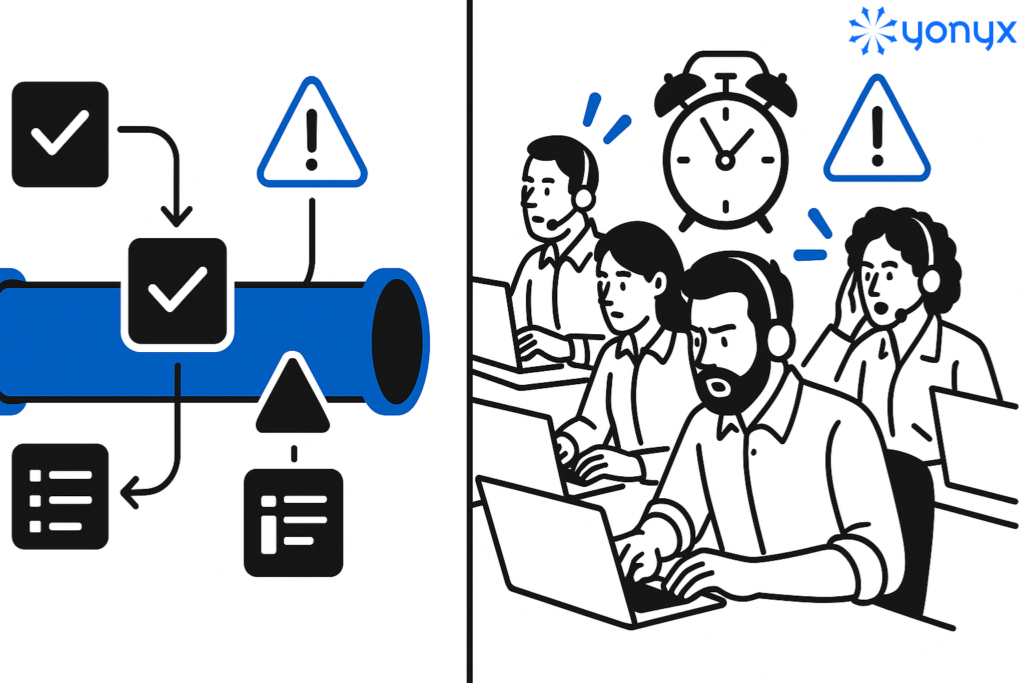
Key Takeaway: During busy periods, CCM helps teams stay on top of rising support requests by automatically prioritizing important cases and flagging overdue ones. This ensures that even when demand peaks, customers receive timely responses and the overall service quality stays consistent.
4. Improves Team Collaboration
Many customer issues require input from multiple departments, like technical support, billing, or shipping. CCM enables shared case access, role-based permissions, internal notes, and task assignments so teams can work together without confusion or delays.

Key Takeaway: CCM brings different teams together by keeping all updates and communication in one shared space. Whether it’s engineers, billing, or customer service, everyone can collaborate in real time, reducing back-and-forth and ensuring customers get clear, timely updates without having to chase for answers.
5. Enables Data-Driven Service Improvements
A good CCM system tracks key performance metrics like response time, resolution time, CSAT scores, and case volume. These insights help managers identify trends, spot bottlenecks, and make data-driven decisions to improve support processes.

Key Takeaway: CCM analytics give teams visibility into trends and bottlenecks, helping them make informed improvements. By identifying areas that take longer to resolve, like billing issues, teams can introduce focused training or better resources, leading to faster resolutions and more efficient service.
6. Enhances the Overall Customer Experience
CCM allows agents to personalize support by viewing customer preferences, purchase history, and previous interactions. This human touch builds trust and improves overall service quality.

Key Takeaway: CCM helps teams personalize customer interactions by giving them insight into preferences and history. When agents understand what a customer values, like premium options or loyalty rewards, they can tailor responses and offers, strengthening relationships and boosting customer loyalty.
Limitations of Implementing CCM in Customer Service
1. Difficulty Integrating with Existing Systems
Many support teams already rely on tools like CRMs, live chat apps, email platforms, or helpdesk systems. Introducing a CCM platform that doesn’t sync well with these tools can disrupt workflows and create data silos.
To overcome this: Choose a CCM solution with native integrations or open APIs. Look for platforms that connect easily with systems like Salesforce, HubSpot, Freshdesk, or Microsoft Teams. Also, involve IT early to map out integration points and test functionality before going live.
2. Resistance to Change from Support Teams
Employees often resist new tools, especially if they’re used to a familiar (even if inefficient) system. A lack of buy-in can lead to poor adoption, low productivity, or partial usage of the CCM platform.
To overcome this: Invest in change management and agent training. Get frontline agents involved early in the selection and testing process. Highlight how CCM simplifies their day-to-day work, like reducing manual tasks or improving visibility.
3. Complex Setup and Customization
CCM systems offer powerful features like automated workflows, SLA tracking, and role-based permissions, but setting them up can be overwhelming without a clear implementation strategy.
To overcome this: Start with a minimal viable setup. Roll out CCM in stages, beginning with one team or use case (e.g., billing inquiries). Use out-of-the-box templates and work with vendor support to customize gradually.
4. Data Migration and Record Accuracy
Moving customer case history, contacts, and ticket logs from legacy systems into a new platform can lead to data loss or inconsistencies, affecting service continuity.
To overcome this: Before migration, conduct a data audit. Clean outdated or duplicate records and use data mapping tools to ensure accurate transfer. Test with a small data set before full import to validate success.
5. Unclear Metrics or ROI Tracking
Without defined goals, it’s hard to measure if CCM is improving service performance. Many businesses struggle to prove ROI, especially in the early stages.
To overcome this: Define success metrics from day one, such as first-contact resolution (FCR), case resolution time, or customer satisfaction scores (CSAT). Use your CCM’s reporting dashboard to monitor these KPIs regularly.
6. Budget Constraints and Cost Concerns
Smaller businesses or startups may see CCM tools as too expensive, especially when factoring in setup, training, and licensing costs.
To overcome this: Look for scalable, cloud-based CCM platforms with flexible pricing. Many offer free trials or modular features, so you can start with essentials and expand as your needs grow.
Ready to Improve Your Service Quality?
Customer Case Management isn’t just a tool; it’s a smarter way to manage support. It helps your team respond faster, work more efficiently, and deliver consistent service across every channel. While setup can bring challenges like integration and training, the long-term benefits, better resolution rates, improved customer satisfaction, and scalable operations, make it worth the effort.
If you want to build a support system that grows with your business and keeps customers coming back, now is the time to invest in a solid CCM strategy.
Related Reads
- 30+ Empathy Statements to Elevate Customer Service in 2025
- 9 Chatbot Best Practices for Better Customer Engagement
FAQs on Customer Case Management
1. What are the 4 stages of case management?
The four levels of case management typically refer to stages in the process, including Intake, Needs Assessment, Service Planning, and Monitoring/Evaluation. Alternatively, they can refer to models or levels of care like Administrative, Resource Coordination, Intensive Case Management, and Targeted/Blended services, which are tailored to a client’s varying needs.
2. What does CSM mean in customer service?
A customer success manager (CSM) supports your customers as they transition from sales prospects to active users of your products. CSMs focus on building customer loyalty and developing close, long-term client relationships.
3. What is an example of case management?
Case management examples include healthcare patient coordination after a stroke, social services assisting at-risk families, mental health counseling for clients with chronic conditions, legal case management for organizing documents, and project management for resource allocation in software development.
4. What is CCM in customer service?
Management, which deals with how companies create and send outbound messages such as marketing materials or billing notices. In this blog, we’re talking about Customer Case Management, the system that helps support teams track, manage, and resolve customer issues.
5. What are CCM and CRM?
Customer Relationship Management (CRM), on the other hand, focuses on collecting and managing customer data to build stronger relationships and improve future interactions.