The best ScreenSteps alternative is not necessarily the platform with the most ScreenSteps-like features.
That is where many software comparisons go wrong.
If you are considering a switch, you are probably trying to solve something more specific: outdated documentation, difficult knowledge discovery, slow onboarding, limited customization, complex workflows, or a platform that simply does not fit your team anymore.
So instead of giving you another giant feature checklist, we compared ScreenSteps alternatives by the problems they solve best, where they outperform ScreenSteps, and where the trade-offs begin.
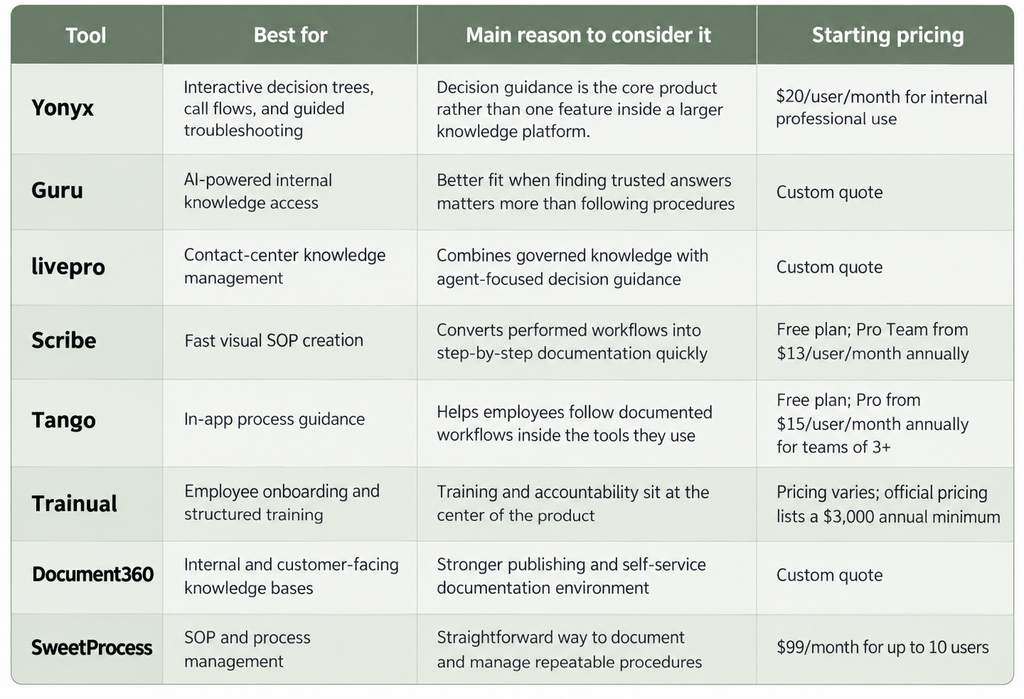
TL;DR: Best ScreenSteps Alternatives at a Glance
When Should You Consider a ScreenSteps Alternative?
ScreenSteps’ current platform supports dynamic SOPs, interactive decision trees, courses, contextual browser guidance, AI search, and procedure management.
Switching therefore makes the most sense when another platform fits one specific job better.
You Need Decision Guidance to Be the Main Product
ScreenSteps supports decision trees, including AI-assisted decision-tree creation.
But some organizations are not primarily building an employee knowledge hub. They are building complex call flows, technical troubleshooting paths, eligibility processes, or guided customer interactions.
In that situation, a decision-tree-first product such as Yonyx can be a better fit.
You Mainly Need Faster SOP Creation
If employees simply need to show someone how to complete a repeatable process, a larger knowledge operations platform can be more than the team needs.
Tools such as Scribe and Tango put fast workflow capture much closer to the center of the experience.
Training Is the Real Problem
Some buyers start by searching for a knowledge platform when what they actually need is a structured way to assign training, track completion, and organize onboarding by role.
That changes the shortlist considerably.
You Need a Traditional Knowledge Base
For product documentation, help centers, FAQs, developer documentation, or large searchable knowledge collections, a knowledge-base-first product such as Document360 or Guru can make more sense.
The Cost of Rollout Is Bigger Than the Use Case
ScreenSteps Operations Standard currently starts at $6,000 per year, while Operations AI starts at $9,000 per year. ScreenSteps also states that it does not offer a single-user license.
For a team that only needs workflow capture or straightforward SOP management, there are less expensive ways to solve that narrower problem.
8 ScreenSteps Alternatives for SOPs, Agent Guidance, and Support
1. Yonyx
Best For: Contact centers and support teams that need interactive decision trees, call flows, and guided troubleshooting.
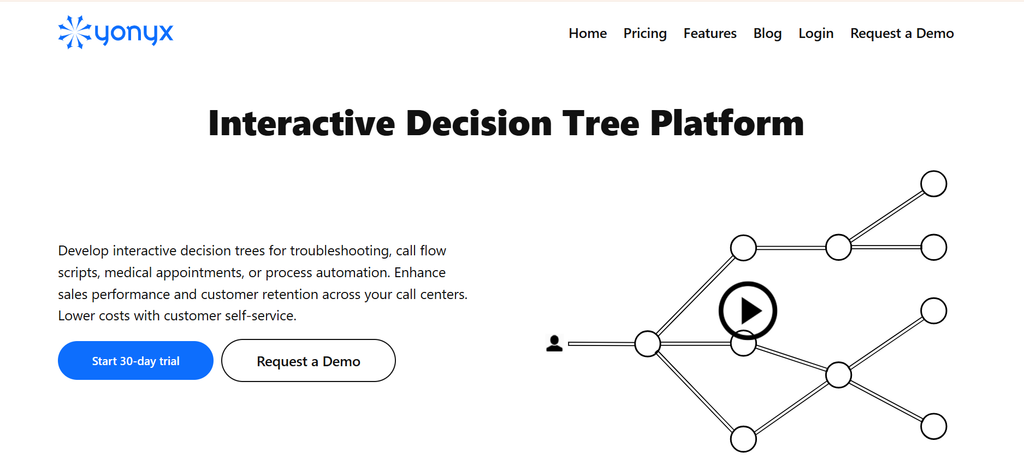
Yonyx is the alternative I would put first when ScreenSteps is being evaluated for guided customer interactions rather than broad employee knowledge management. Its center of gravity is interactive decision trees: agents or customers move through a branching path, and the next step changes based on the response. That makes it particularly relevant for technical support, call scripting, troubleshooting, and service workflows. ScreenSteps can also build decision trees, so the distinction is not capability versus no capability. It is specialization: Yonyx is built around executing branching decisions as the primary job.
Real User Feedback: “This tool is the most versatile for implementing processes and adding structure to any application.”
Pros
- CRM data can be read or written from individual decision-tree nodes.
- API calls can be triggered from tree nodes to exchange information with external systems.
- Hierarchical subtrees help break large processes into reusable components.
- Guidance steps can include forms, multimedia, tables, links, and captured data.
- AI Assist can help create, rewrite, translate, or generate tree branches.
Cons
- It is not designed as a full employee learning platform with courses and learning paths.
- Larger trees still require thoughtful process design to prevent unnecessary complexity.
Pricing: starts at $20 per internal user per month.
ScreenSteps vs Yonyx
| Dimension | ScreenSteps | Yonyx |
| Primary focus | Employee knowledge, SOPs, and training | Interactive decision guidance |
| Decision trees | Strong platform capability | Core product |
| Courses and learning paths | Yes | Not a primary capability |
| CRM-driven workflows | More focused on contextual procedure access | Can read/write CRM data within tree nodes |
| Call scripting | Possible through procedures | Explicit use case |
| Troubleshooting | Supported through decision trees | Major use case |
| Customer self-service | Available through custom customer-facing solutions | Major deployment model |
Choose Yonyx if agents or customers need the next question, instruction, or action to change according to what happened earlier in the interaction.
2. Guru
Best For: Teams that need searchable, governed company knowledge available across their existing tools.
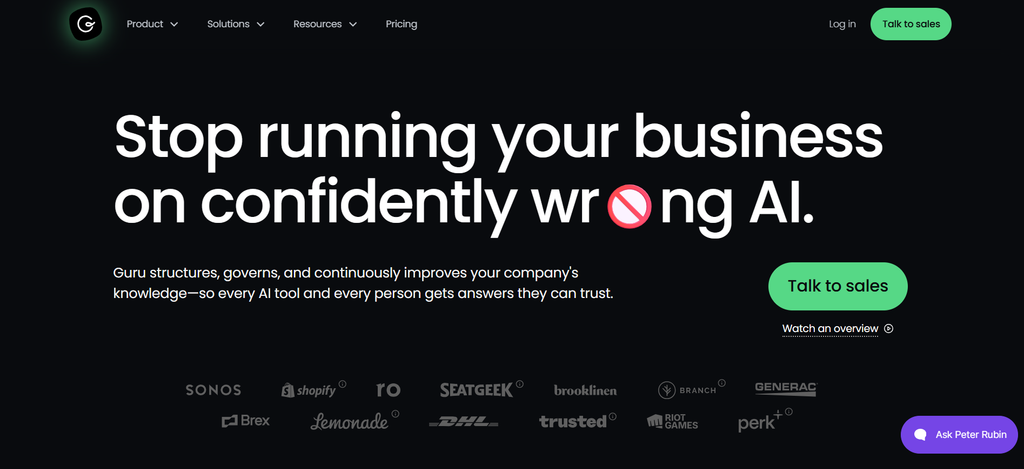
Guru makes more sense when the bigger problem is scattered company knowledge rather than step-by-step procedure execution. It is built to pull trusted information into the tools employees already use, then help them find an answer without hunting through folders or opening long SOPs. Compared with ScreenSteps, the center of gravity shifts from followable procedures toward governed knowledge retrieval. That makes Guru a better fit for support, sales, and cross-functional teams that keep asking the same questions across Slack, Salesforce, Zendesk, and other systems.
Real User Feedback: “Guru makes it incredibly easy to access the right information at the right time.”
Pros
- Content verification workflows help teams identify information that needs expert review.
- Answers can inherit existing permissions and include source citations and lineage.
- Guru supports 100+ integrations and MCP delivery.
- Browser access brings approved knowledge into CRM, help desk, email, and other web-based workflows.
Cons
- Branching decision trees are not the center of the platform.
- Pricing is no longer presented as a simple public per-seat plan.
- Organizations looking for a lightweight SOP tool can find the wider knowledge architecture unnecessary.
Pricing: Custom pricing
ScreenSteps vs Guru
| Dimension | ScreenSteps | Guru |
| Main job | Procedures employees can find and follow | Trusted knowledge employees can retrieve |
| Structured SOPs | Core strength | Supported, but not the central differentiator |
| Decision trees | Yes | Not core |
| Knowledge verification | Yes | Major focus |
| AI knowledge retrieval | Yes | Major focus |
| Training courses | Yes | Not the main use case |
Choose Guru If: Employees mostly struggle to find trusted company knowledge across different systems, rather than to work through branching procedures.
3. livepro
Best For: Contact centers that need governed knowledge and real-time agent guidance in one system.
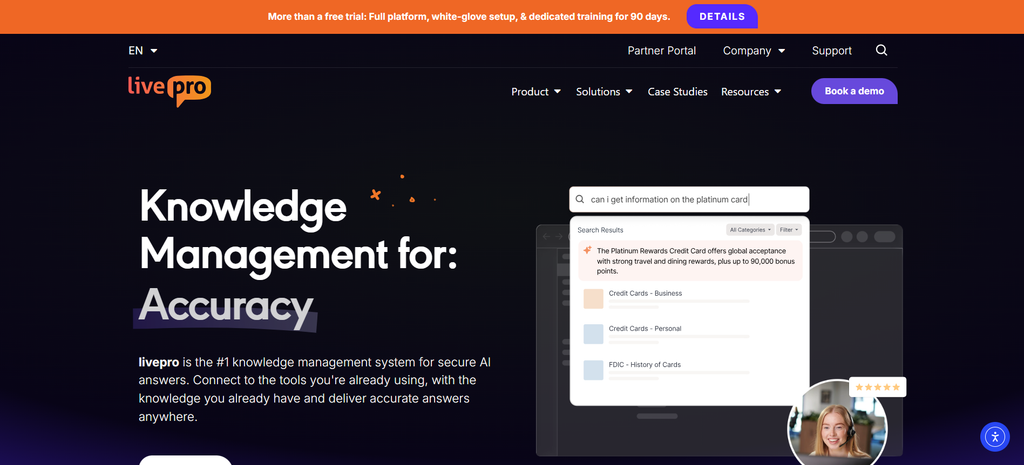
livepro is one of the more direct ScreenSteps alternatives for contact centers. It combines a centralized knowledge base with guided processes and its Rocket decision tool, which narrows the next question or action based on the agent’s response. The key difference is focus. ScreenSteps serves broader employee operations, training, and procedure management, while livepro is shaped around giving frontline service teams fast, approved answers during customer interactions. I would shortlist it when knowledge governance and contact-center speed matter as much as guided decision support.
Real User Feedback : “I believe Livepro to be a great value and the support you receive while implementing and afterward is wonderful.”
Pros
- Authoring, approval, and publishing workflows support controlled knowledge governance.
- Announcements can push important changes to targeted groups.
- Reporting covers knowledge usage and operational behavior.
- APIs can publish the same approved knowledge to websites, chatbots, human-assisted chat, and voice channels.
Cons
- Public pricing is not available.
- One reviewer managing multiple knowledge systems described switching between them as somewhat clunky.
- Teams should expect implementation work when migrating and governing a large body of existing knowledge.
Pricing: livepro offers Flex, Premium, and Enterprise plans, but all require a quote.
ScreenSteps vs livepro
| Dimension | ScreenSteps | livepro |
| Primary market | Employee operations and knowledge | Contact-center knowledge management |
| Decision guidance | Decision trees | Rocket decision guidance |
| Knowledge governance | Strong | Strong contact-center emphasis |
| Training | Courses and learning paths | More focused on operational guidance |
| Customer-facing channels | Custom options | API and self-service options |
| Search | Knowledge hub and AI | Contact-center-focused AI search |
Choose livepro If: You need a full contact-center knowledge management system alongside guided decision support.
4. Scribe
Best For: Operations and enablement teams that need to create visual SOPs quickly.
Scribe is the cleaner choice when the real problem is how long it takes to document a process. Instead of building a large knowledge program first, a user performs a task and Scribe turns the workflow into a step-by-step guide. That makes it useful for operations, RevOps, IT, and enablement teams that constantly create how-to documentation. Compared with ScreenSteps, Scribe is lighter and more capture-led. It fits teams that want to create and share visual instructions quickly rather than manage a broader procedure, training, and decision-support environment.
Real User Feedback
“I really like Scribe’s ability to take something that would take hours and streamline it into minutes.”
Pros
- Guides can be exported to PDF, HTML, and Markdown.
- Pro plans include screenshot editing and manual redaction.
- Enterprise plans add automatic PII and PHI redaction.
- Basic is free, which gives small teams an easy way to start.
- Pro Team supports comments and team collaboration.
Cons
- Complex branching decision logic is not its primary use case.
- Everyone inside a Pro Team must be on the paid plan.
- Reviewers mention limitations around screenshot editing, customization, and advanced permissions depending on the plan.
Pricing: Scribe has a free Basic plan. Its current annual pricing lists Pro Personal at $25 per seat per month and Pro Team at $13 per seat per month, with Pro Team starting at five seats.
ScreenSteps vs Scribe
| Dimension | ScreenSteps | Scribe |
| Main strength | Knowledge operations | Rapid workflow documentation |
| Process capture | Yes | Central product strength |
| Decision trees | Yes | Not core |
| Training courses | Yes | No comparable course platform |
| Visual SOPs | Strong | Strong and quick to produce |
| Platform depth | Broader | Lighter |
Choose Scribe If: Your team spends too much time manually documenting repeatable software processes and does not need a larger knowledge-operations platform.
5. Tango
Best For: Teams that want employees to follow software processes directly inside the workflow.
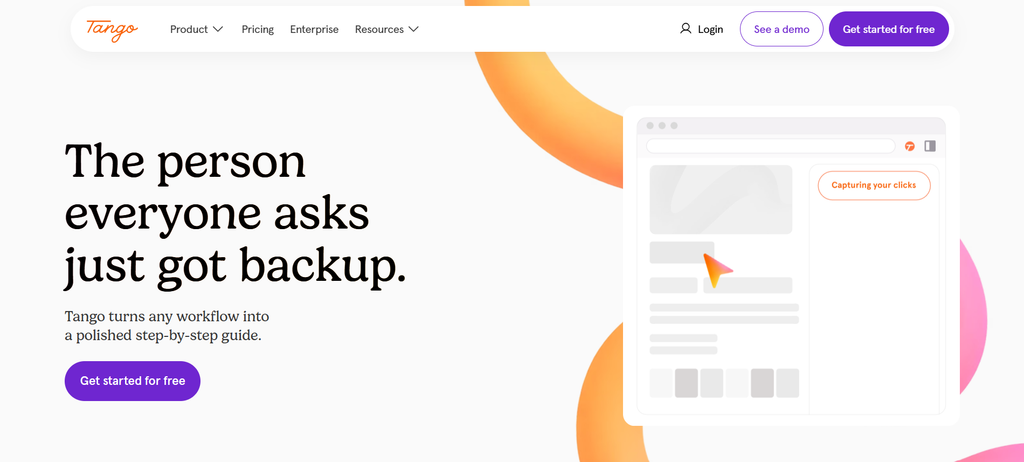
Tango sits between process documentation and in-app guidance. A team can capture a workflow once, turn it into a visual guide, and then help employees follow that process while they work. That makes it relevant when the pain is not just documenting a procedure, but getting people to follow it inside the software where the task happens. Compared with ScreenSteps, Tango feels more centered on workflow capture and digital adoption. It is a sensible choice for IT, operations, and enablement teams rolling out tools or standardizing repeatable software processes.
Real User Feedback
“I love the ease of use. I save so much time because documenting the process takes the same amt of time as doing the process.”
Pros
- Pro includes voice transcription while capturing.
- Workflows can be exported as PDF, Markdown, or HTML.
- Pro includes viewer insights and 14-day version history.
- Enterprise adds SSO, SCIM, audit logs, workspace analytics, and automatic sensitive-data redaction.
Cons
- Branching workflows are an Enterprise feature.
- All users in a Pro workspace require paid seats.
- A verified reviewer noted that interactive guidance requires the end user to have the appropriate Tango access and extension, which can add friction.
Pricing: Tango offers a free plan. Pro costs $22/user/month annually for one to two users or $15/user/month annually for teams of three or more. Enterprise pricing is custom.
ScreenSteps vs Tango
| Dimension | ScreenSteps | Tango |
| Primary job | Employee procedures and knowledge | Workflow documentation and digital adoption |
| In-app guidance | Sidekick | Guide Me and Pins |
| Branching | Available | Enterprise |
| Courses | Yes | Not core |
| Workflow capture | Strong | Major focus |
| Knowledge hub | Broad | More workflow-oriented |
Choose Tango If: Your biggest issue is getting employees to follow software procedures correctly without leaving the application they are working in.
6. Trainual
Best For: Growing companies that need structured onboarding, role-based training, and process documentation.
Trainual is the stronger fit when the reason for considering ScreenSteps is employee onboarding and training rather than live decision support. It brings company processes, policies, role-based learning, and assigned training into one place, so managers can see what employees have been given and whether they completed it. ScreenSteps also has courses and learning paths, but Trainual puts training at the center of the experience. I would consider it for growing companies that need a structured way to teach new hires how the business works and keep role expectations consistent.
Real User Feedback
“I love how Trainual makes it easy to build training modules with text, video, and GIFs, and I can track completion effectively.”
Pros
- Higher plans include e-signatures and completion reminders.
- Org charts and role-accountability tools can sit alongside training.
- SCORM storage supports more structured learning programs.
- Premium includes SSO and custom branding.
- Enterprise includes APIs and custom integration support.
Cons
- A 2026 contact-center reviewer said non-linear workflows can feel boxed in.
- It is less suited to customer self-service than platforms built for external guidance.
- Current pricing is sales-led and includes a minimum annual commitment.
Pricing: Trainual requires a minimum of 10 seats, with an annual commitment starting at $3,000.
ScreenSteps vs Trainual
| Dimension | ScreenSteps | Trainual |
| SOPs | Strong | Strong |
| Training | Courses and learning paths | Core product emphasis |
| Role-based onboarding | Supported | Major strength |
| Decision trees | Strong | Not primary |
| Live agent guidance | Stronger | Less central |
| Training accountability | Available | Central to product |
Choose Trainual If: The problem you need to solve is getting employees trained, assigned the right material, and accountable for completing it.
7. Document360
Best For: Teams building a structured internal knowledge base, product help center, or customer self-service library.
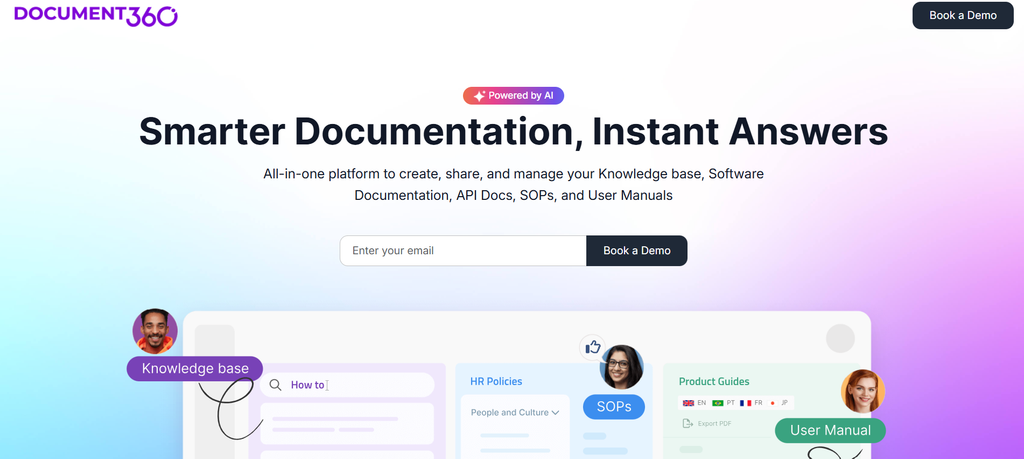
Document360 is a strong option when the main requirement is a polished internal or customer-facing knowledge base. It combines structured documentation with AI search, embedded help, and interactive decision trees, so it can cover both straightforward articles and guided paths. Compared with ScreenSteps, Document360 leans more heavily toward publishing and maintaining large knowledge bases for readers. It is a better fit when support documentation, product help, self-service, or developer-facing content matters alongside internal procedures, rather than when employee training is the main reason for buying.
Real User Feedback
“It is a simple and reliable resource where I can easily find the right workflows and confirm whether I’m following the correct guidelines.”
Pros
- Approval and publishing workflows help manage large documentation libraries.
- Knowledge bases can support different languages and localization.
- Public and private projects can be managed separately.
- Content can be embedded inside other products and support environments.
- Security options include SOC 2 Type II, ISO 27001, encryption, and selectable data regions.
Cons
- Pricing requires a custom quote.
- G2 feedback includes complaints about editing, formatting, and customization in more complex setups.
- It does not offer the same dedicated training-course model as ScreenSteps.
Pricing
Document360 now uses customized pricing based on factors such as workspaces, languages, team accounts, security requirements, and AI usage.
ScreenSteps vs Document360
| Dimension | ScreenSteps | Document360 |
| Main strength | Employee knowledge and execution | Knowledge-base publishing |
| Decision trees | Yes | Yes |
| Product/customer docs | Possible | Major focus |
| Training courses | Yes | Not core |
| Embedded help | Sidekick | Embedded knowledge-base help |
| Knowledge-base publishing | Strong internal focus | Strong internal and external focus |
Choose Document360 If: Your priority is maintaining a scalable knowledge base for employees, customers, product users, or developers.
8. SweetProcess
Best For: Small and mid-sized teams that want straightforward SOP and process management.
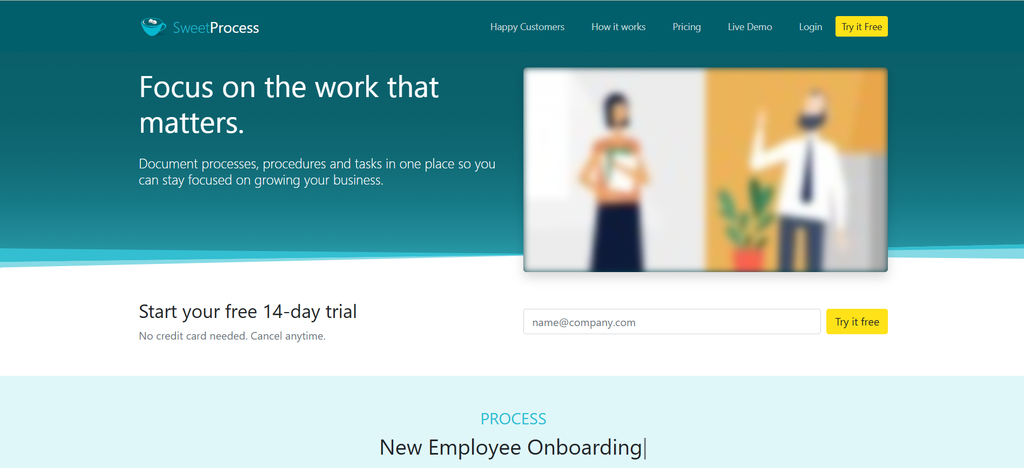
SweetProcess is a practical ScreenSteps alternative for teams that mainly want to document how work gets done and make those procedures repeatable. It organizes policies, procedures, and processes in one system and is aimed at businesses that want less complexity than a broad knowledge-operations platform. Compared with ScreenSteps, it feels closer to an SOP and process-management tool than an employee guidance layer. I would consider it for small and mid-sized teams that need clear operating procedures, ownership, and accountability without making interactive decision trees the center of the rollout.
Real User Feedback: “Sweet Process is a fantastic tool that allows for easy documentation of procedures, processes, and policies.”
Pros
- Procedures can be assigned as tasks and tracked through completion.
- A form builder captures information while users work through assigned tasks.
- Documents can be exported to PDF or Word for offline access.
- Teams get the same feature set instead of having important functions separated across multiple tiers.
- Pricing is publicly available and easy to estimate.
Cons
- Interactive branching decision logic is not a core strength.
- G2 reviewers have mentioned fewer integrations than some workflow platforms.
- Setting up procedures and task delegation can involve an initial learning curve.
Pricing: SweetProcess costs $99 per month for up to 10 users, or $990 per year. Additional users cost $5 per month on monthly billing or $50 per year on annual billing.
ScreenSteps vs SweetProcess
| Dimension | ScreenSteps | SweetProcess |
| SOP documentation | Strong | Core |
| Process/task management | Supported through procedures | Strong |
| Decision trees | Strong | Limited |
| Employee courses | Yes | No comparable learning-path system |
| Knowledge delivery | In-Workflow Sidekick | Central process library |
| Complexity | Broader platform | More straightforward |
Choose SweetProcess If: Your company primarily needs one place to document procedures, assign recurring work, and keep basic operating processes consistent.
How the Top Screen Steps Alternatives Compared
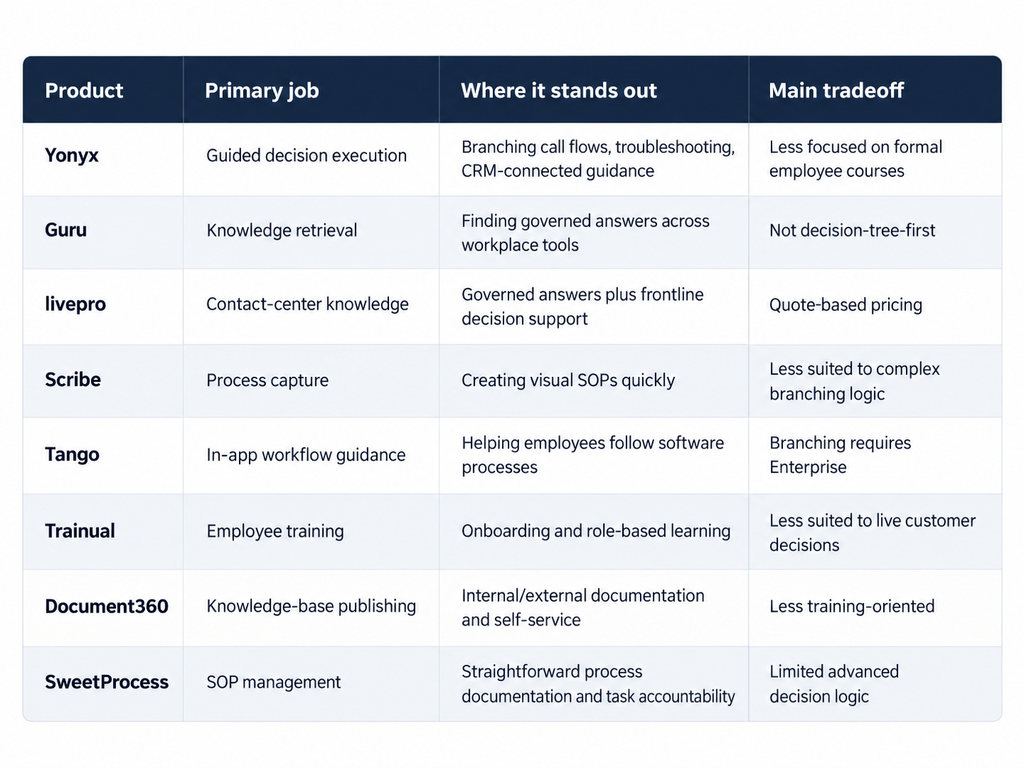
Trying to compare every platform feature by feature can make the decision harder. The cleaner comparison is the job each product does best.
Frequently Asked Questions About ScreenSteps Alternatives
What is the best ScreenSteps alternative?
There is no single best replacement for every ScreenSteps use case. Yonyx is the strongest option in this list for interactive decision trees, guided troubleshooting, and customer-support workflows. Scribe is stronger for rapid visual process capture, while Trainual is better suited to training-led use cases.
Is Yonyx similar to ScreenSteps?
Yes. Both support interactive decision trees and guided procedures. The difference is emphasis. ScreenSteps combines decision trees with SOP management, employee knowledge, and courses, while Yonyx centers more directly on branching decision workflows, call scripting, troubleshooting, CRM integration, and customer self-service.
What is the best ScreenSteps alternative for call centers?
Yonyx and LivePro deserve the closest look. Yonyx is stronger when interactive decision logic, call flows, and troubleshooting are central. LivePro is a stronger fit when the organization needs a full contact-center knowledge management system with governed answers and decision guidance.
What is the best ScreenSteps alternative for SOP creation?
Scribe is a strong choice when speed of visual documentation matters most. SweetProcess is better suited to teams that want to organize procedures, policies, processes, and assigned tasks in one operational system.
Are there free ScreenSteps alternatives?
Yes. Scribe and Tango both provide free tiers, although their more advanced team, governance, and guidance features sit in paid plans.
Final Verdict
The best ScreenSteps alternative depends on what you want to change.
Choose Scribe when creating procedures takes too long. Choose Trainual when onboarding and employee training are the bigger problems. Choose Guru or Document360 when finding and maintaining knowledge matters most. Choose LivePro when you need a contact-center knowledge management system.
And choose Yonyx when the harder problem is what happens after someone finds the procedure.
If an agent still has to interpret the information, decide which condition applies, work out the next question, and determine the correct action while a customer waits, a traditional knowledge article only solves part of the problem.
Yonyx turns that process into an interactive path, so the user gets the next relevant step instead of the entire procedure at once. That is the clearest reason to put it first for teams comparing ScreenSteps alternatives for customer support, troubleshooting, and guided decision workflows